UI Tips
UX Tips
Articles
Newsletter
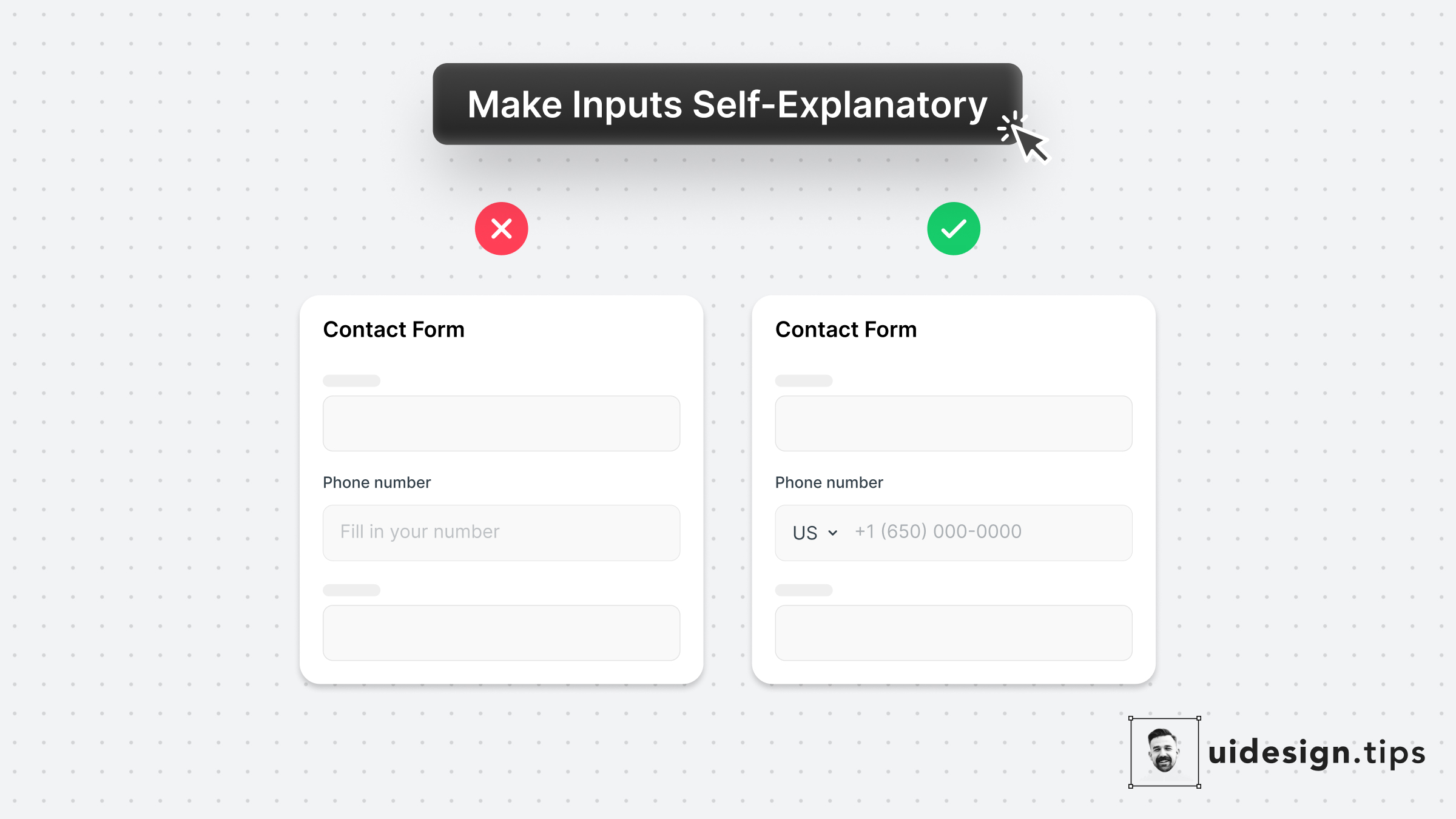
The two "secret" weapons to enhance your input fields are the placeholder text & its type.⠀ ⠀ 1. Leverage the placeholder text to guide users instead of just repeating the label. ⠀ ⠀ 2. Limit the wrong input source (eg add country code) by using predefined values for common inputs.⠀
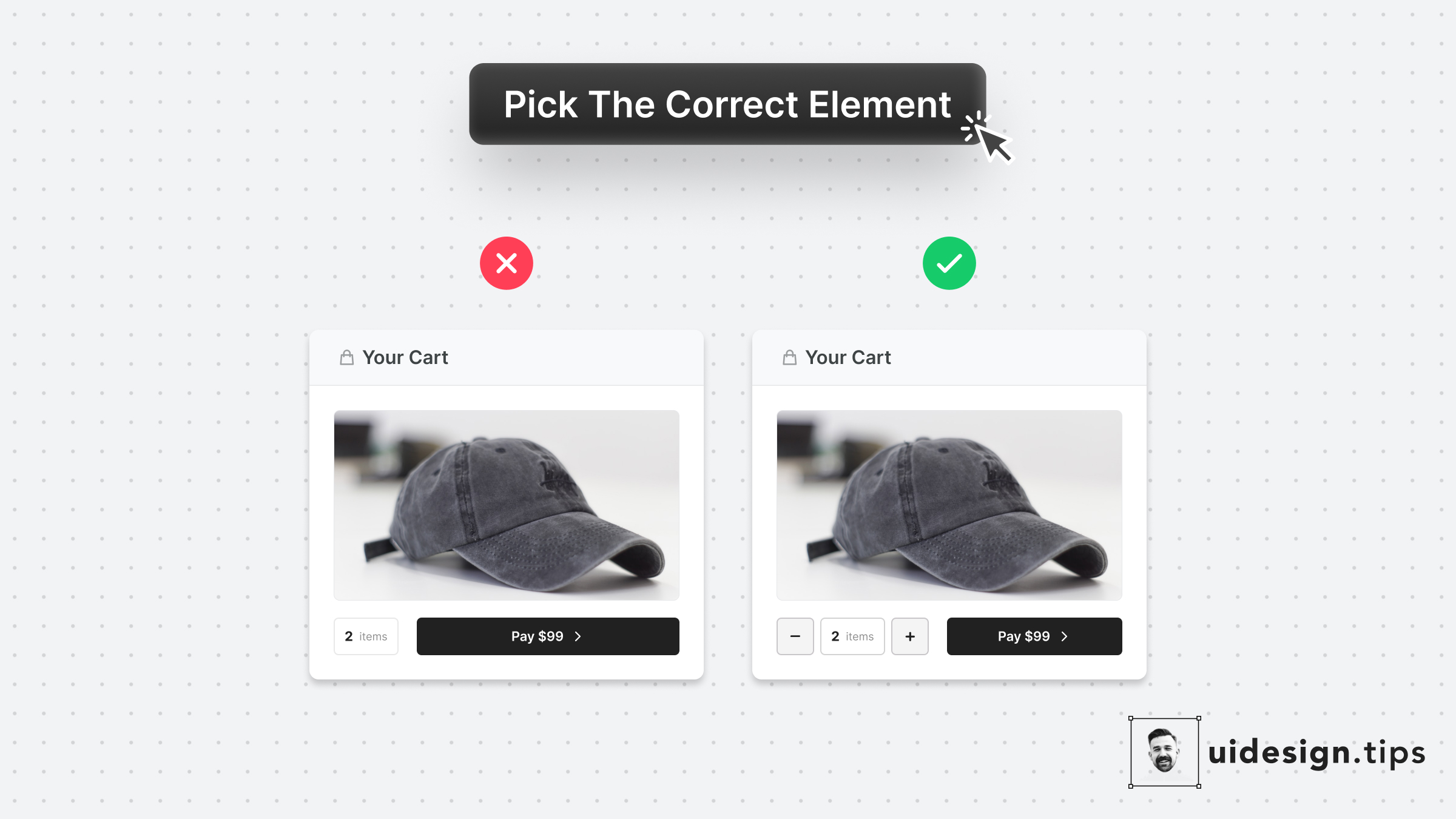
Make it as simple as possible for users to enter their information.⠀ ⠀ Choosing the right UI element plays a huge part in upgrading UX.⠀ ⠀ For example, use a number picker for integer numeric values instead of a generic text field. In eCommerce carts, most users will buy 1, or 2 items maximum. The -/+ buttons make their input process quicker.
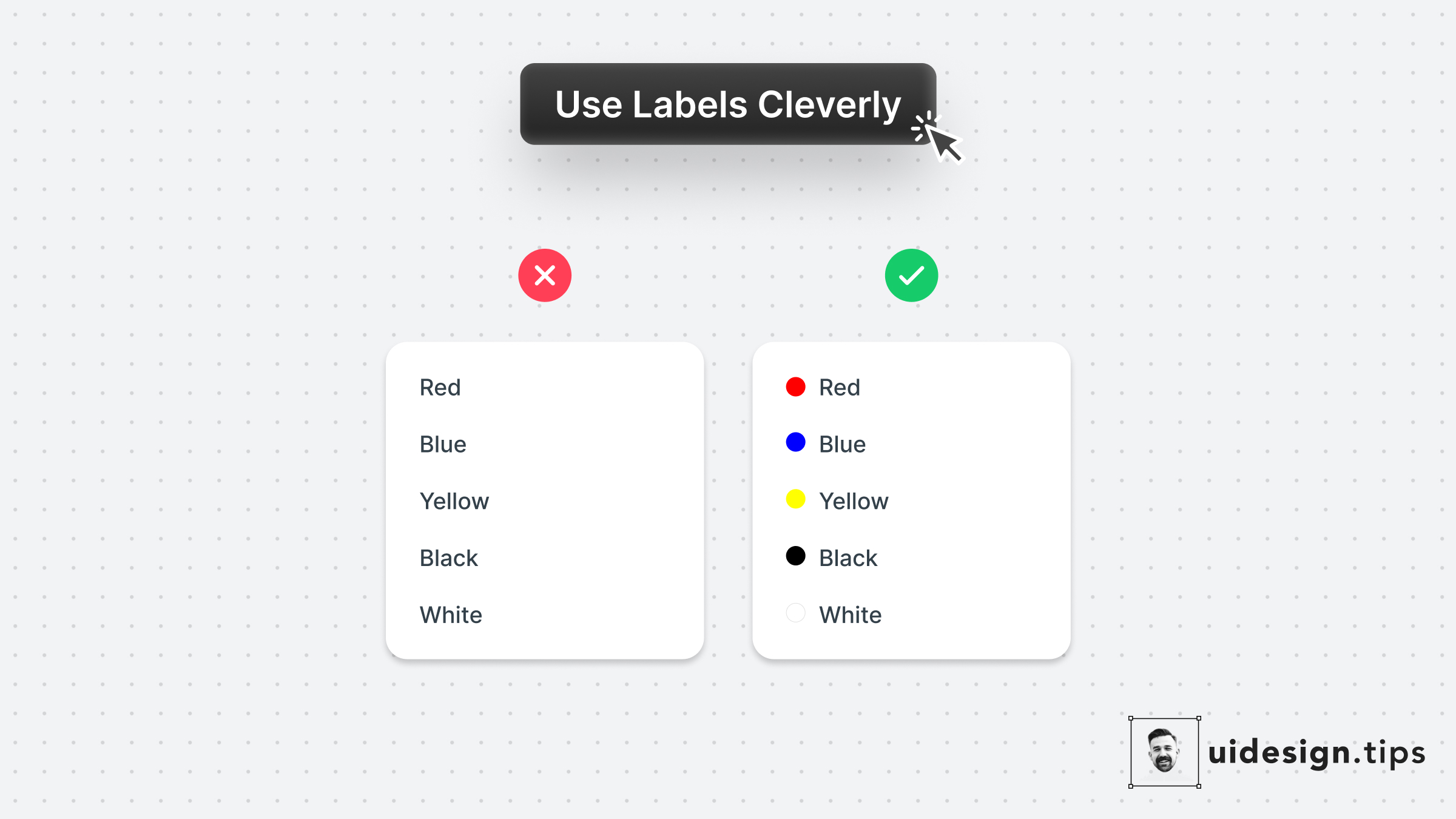
A smart use case for labels is on color pickers with predefined values. Depending on the app's context you can even omit labels. Consider keeping them for color-blind people who struggle to identify colors though.
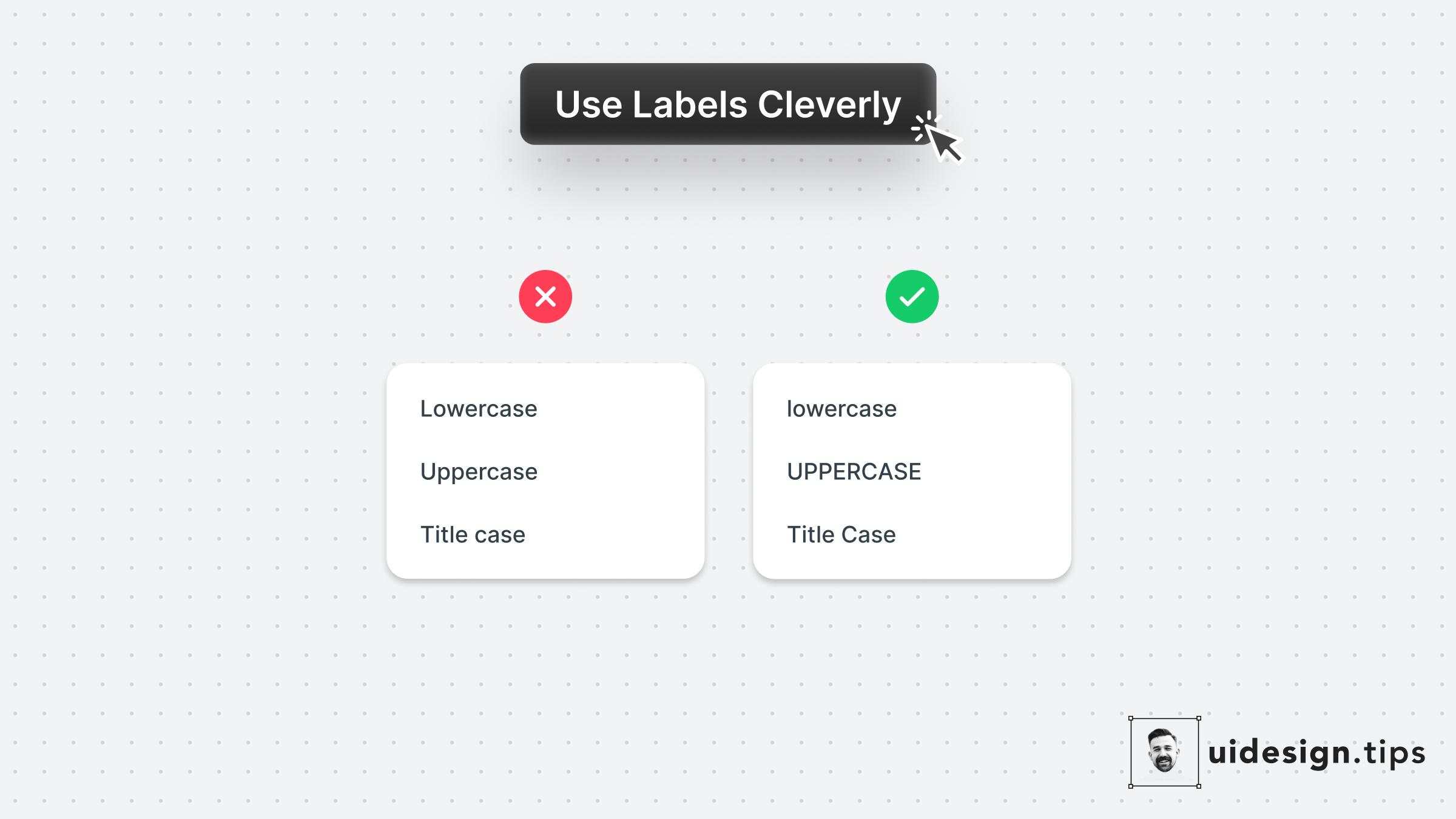
Complement your link copy with a visual representation of the selected value. In this example, the labels show you how capitalization will look. It's not always possible to do this hack, so go all into it when the opportunity presents itself.