UI Tips
UX Tips
Articles
Newsletter
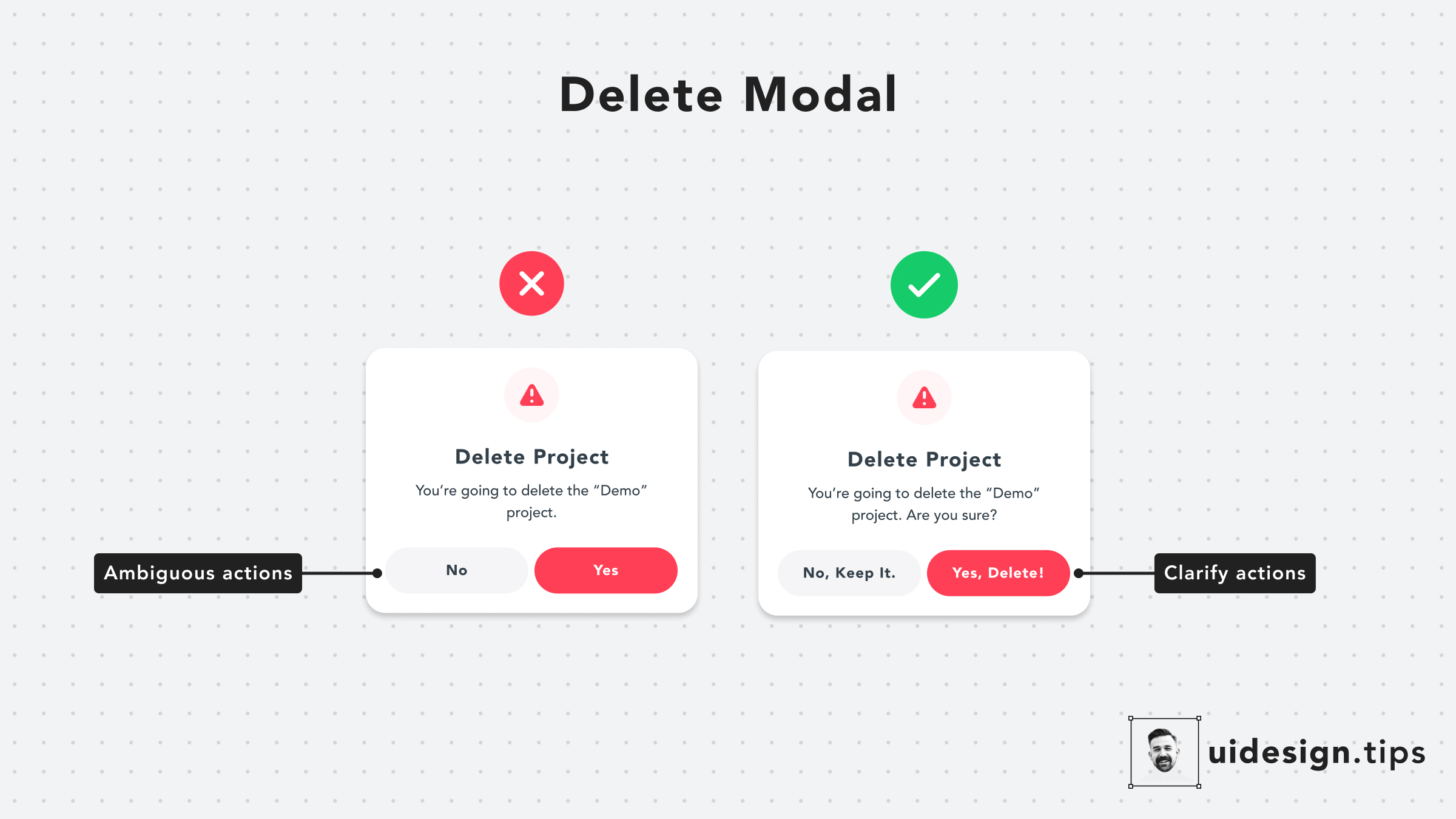
Pay extra attention to your buttons' copies. Avoid generic out-of-context copies, like 'Yes' or 'No'. Instead, use a sentence to communicate clearly the button's actions.
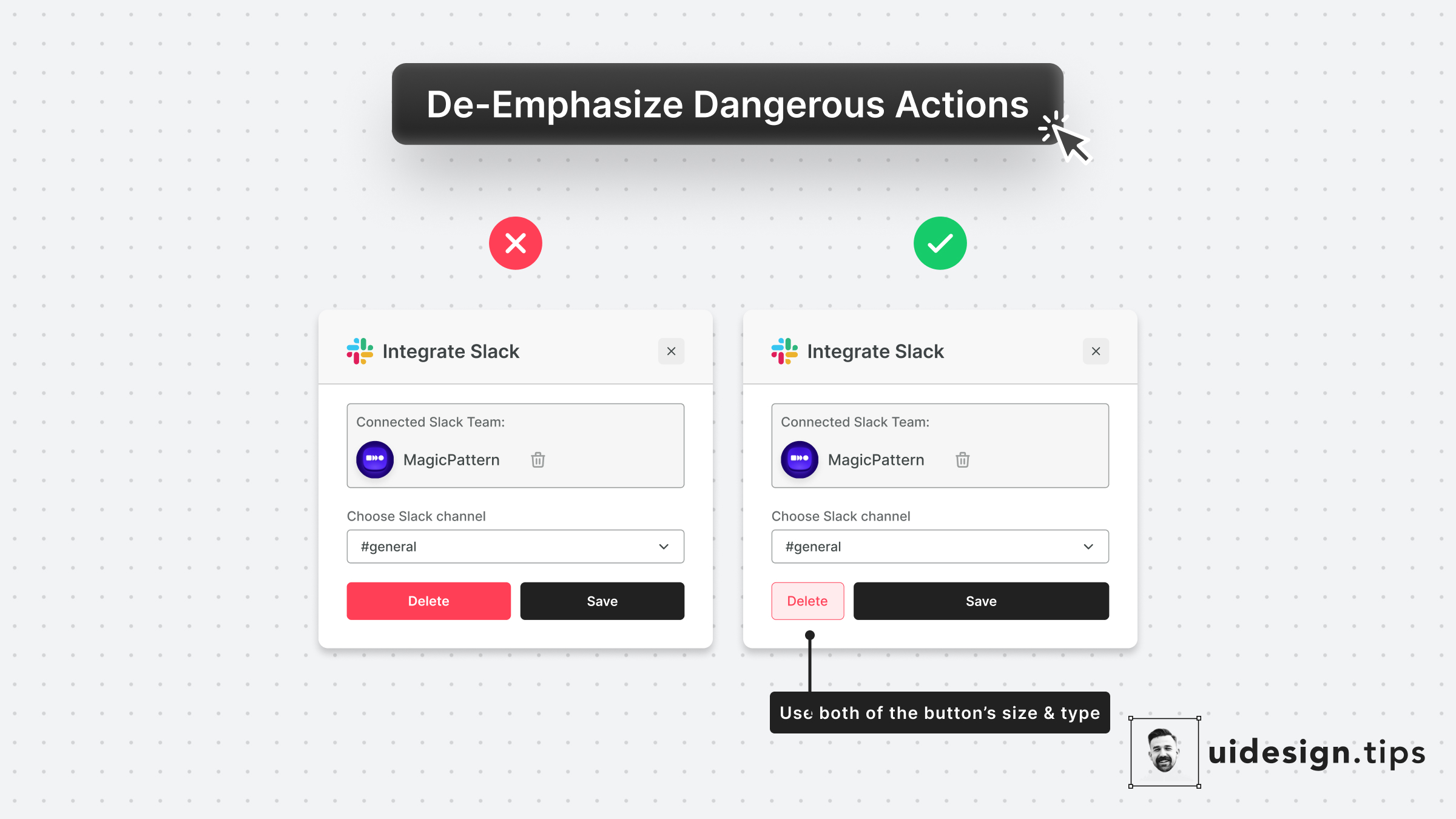
Always try to de-emphasize dangerous actions like deletion. You have to prioritize the default action instead of the dangerous/irreversible one. Also, use more than one trait to make the element look like a secondary action (color, size, type, placement, etc).
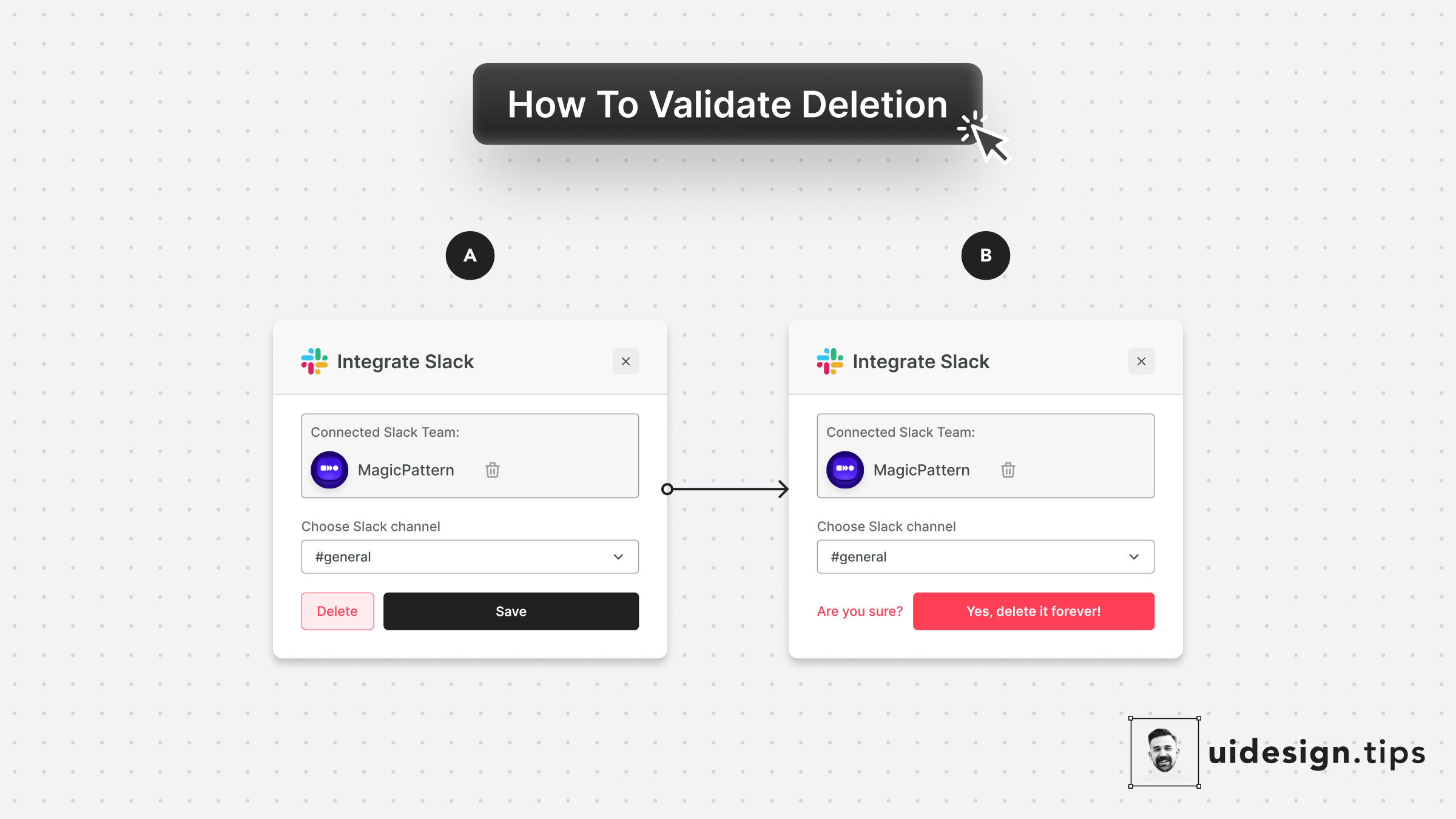
Never allow the user to delete something without validation. People misclick all the time, and losing information forever hurts and creates a bad memory related to your product! Make sure your UI supports (inline or popup) deletion validation. Even the undo functionality is useful in these scenarios, although it's impossible sometimes due to engineering restrictions.